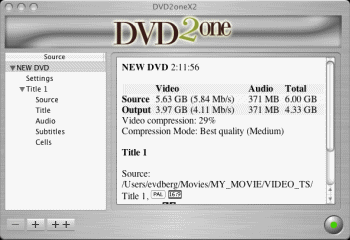
A DVD to DVD+R/RW backup tool that backups onto a single DVD-Recordable in 15-30 minutes, including movie-only backups or full backups, with audio remastering capabilities
With DVD2one you can make movie-only and full disk copies (of unprotected DVD files) for personal use on a single DVD-Recordable. Key features include:
Unique video compression engine: combines blazing speed with the highest quality.
Multi-processor, multi-core and multi-computer (grid) compatible.
Process a movie to fit on a single recordable in a matter of 15 to 30 minutes (depending on the speed of your computer).
Make movies-only copies. Why waste space and image quality on unnecessary intros, menus and language tracks?
Make also full disk copies. For those who want to keep those fancy menus and intros.
Powerful join mode. Useful for putting multiple episodes of a (tv) series or joining both sides of a flipper on 1 disk.
Remaster your CDs on DVD in Super CD quality.
Builtin burnengine.
Written from scratch, not based on any old code, libraries or existing opensource projects.
Time critical parts written in assembly, for the highest possible speed.
Download a trial version of DVD2oneX from the official site
Revision History:
Version 2.4.2
Release Date: Oct 15, 2011
Increased maximum output size (was 4 times DL).
Fixed OS-X Lion crash on edit of disk name.
Fixed missing first chapter on titles from discs made with Panasonic DVR (thanks Ron!).Relaxed the video, audio and subtitle attributes comparison for the seamless join to only compare the essential attributes. This should solve some cases in which the seamless join of multiple discs failed.
Both letter-boxed and pan&scan representation of a widescreen DVD on a 4:3 TV is now always allowed. These video attributes are also not compared anymore for the seamless join.


 Home
Home

 Download Trial Version