|
Input Files: IFO/BUP
Output Files: IFO/BUP
From the Official Site :
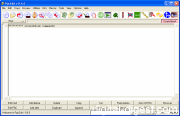
PgcEdit is a DVD IFO and Menu editor designed to allow the modification of the navigation commands and parameters of an already authored DVD structure.
PgcEdit is also an excellent tool to learn how a DVD works, with his powerful Trace function.
Since v0.6.0, PgcEdit is also the first program able to burn a Double Layer DVD-Video on DL DVD+R or DL DVD-R, with an interactive interface (including a preview), to select the position of the layer break.
 |
Title: pgcedit.exe
Link: Download
Size: 3.44 MB
Description: Download PgcEdit
|
|
|
 |
Title: Official Download Site
Link: Download
Description: Download PgcEdit from the official site
|
|
|
 |
Title: PgcEdit Latest Betas
Link: Download
Description: Download the latest beta version of PgcEdit
|
|
|
 |
Title: How to Make and Burn ISO Images with PgcEdit

Link: Read Article
Description: Basic guide on how to make and burn ISO image files with PgcEdit and ensures to leave at least 32K of space between IFO and BUP
|
|
|
 |
Title: Simplistic Guide for Replacing DVD Streams (Animated Guide)
Link: Read Article
Description: This guide is meant for people who want to do some post processing on their DVD streams and then re-author them back into the original source.
|
|
|
More Article Links ...
| |
Average Rating: |
Your Rating: |
| Registered Users: |
          |
|
| Non-Registered Users: |
         (5 votes) |
Sorry, but you must be logged in to use this feature. Please note that the forum has a separate login/registration system. You will need to sign up and login to the forum separately.
|