|
A tool able to blank, replace, cut and strip titles, more specifically, program chains or individual cells
From the Official Site :
VobBlanker is a tool able to blank, replace, cut and strip titles, more specifically, program chains or individual cells. From release 1.5 VobBlanker is also able to work (blank, preview, delete..) in the menu domain.
Guides:
Input Files: IFO/BUP
Output Files: DVD
Windows 95/Windows 98/Windows Me/Windows 2000/Windows XP
Version 2.1.3.0
- Release Date: May 6, 2007
- Added: Control of minimum window size (in resizing windows)
- Added: Resizing grip indication (in the lower left corner)
- Added: Refuse to run if AnyDVD/DVD43 or DVDRegionFree are detected.
- Added: Split feature in MENUs. Up to 32 split points.
- Added: "Cut inside" splitting the cell in two parts in MENUs domain.
- Added: Check PTSs discontinuities when extending cells (replacing cells/titles).
- Added: Multiple splits pre cell. Up to 32 split points can be defined per cell in the same VobBlanker session.
- Added: GOP type and Cell elapsed time are shown in Preview
- Added: Absolute sector in preview
- Added: Check the maximum size of the output (menus and titles)
- Added: Automatically disable overlay if needed in VISTA.
- Improvement: Tooltips are visible when the controls are disabled.
- Improvement: Double click on a cell row in cell list now goes to split/still/replace or preview/cut dialogs, depending on the selected action
- Improvement: Message "Filename has to be *_1.VOB" removed if filesize < 1000MB
- Improvement?: GOP type detection now accepts first video pack in a non standard position
- Change: Defaults: Do not use overlay defaults to true, and NextPGC and PrevPGC pointers modification defaults to false
- Change: Return to file save dialog in case of error (extracting cells)
- Change: "Save project as" opens the file save dialog with the current project filename (if exists) instead of the default filename
- Change: Elapsed and duration times: hours are represented in one digit
- Change: Info in preview uses normal fonts. Deleted non-valid fields.
- Change: Errors compacted when loading a DVD with multiple errors in menus
- Change: 50% more space for ifos growing.
- Change: Menu VOB or last title VOB files in a VTS are allowed to be larger
- Change: Open GOP warning completely removed
- Change: Confusing message when ILV-ed cells are detected.
- BugFix: Not fixed, but workarounded. Disappearing dells dialog when hitting "split button"
- BugFix: Delete all title VOB files in output folder before processing the titles domain of a titleset
- BugFix: Bug in DVDPreview was crashing VobBlanker loading a PAL/NTSC mixed DVD than 1 GB (a warning is issued)
- BugFix: sizes of GB were reported as MB in dialogs
- BugFix: "Cut inside" splitting still was broken in some cases
- BugFix: In the case of 9 files in a VTS, the fixing packs procedure hanged
- BugFix: Only 98 VTS were supported
- BugFix: Negative (wrong) pointers in IFOs made VobBlanker crash
- BugFix: chapters table wrong when splitting cells
- BugFix: Settings in main dialog were lost opening more settings dialog
- BugFix: 32K smart GAP default was not always the same value
- BugFix: Changing Cell number in preview was not updating Time and GOP type
- BugFix: Special case where GOP type was not detected (was being marked as unknown)
- BugFix: PGC unit table was being created empty in smart GAPs
- BugFix: When removing unreferenced cells and renumbering, VOB pointers fixing phase was working with the list including the cells to be deleted, so some cells were adjusted twice.
- BugFix: Adding chapters when splitting cells could fail in some rare conditions
- BugFix: VobBlanker was not launching the fixing pointer phase when a cell number mismatch was detected replacing cells/pgcs
View complete revision history
|

|
Rate this software:
Your Rating:
You have not voted yet!
Average: 3.50/5
Total Ratings: 4
|
|
|
| |
|
|
|
|

 Home
Home


 VobBlanker_2130_exe.zip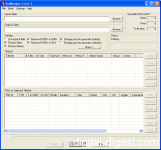
 Simplistic Guide to VOBblanker
